

The space dilemma in modern IT
In a perfect world, every admin has a dedicated, cooled server room with full-size 42U racks. In reality, many SMBs, remote offices, and homelab setups have to squeeze enterprise-grade hardware into a utility closet, a small office, or a shared equipment corner.
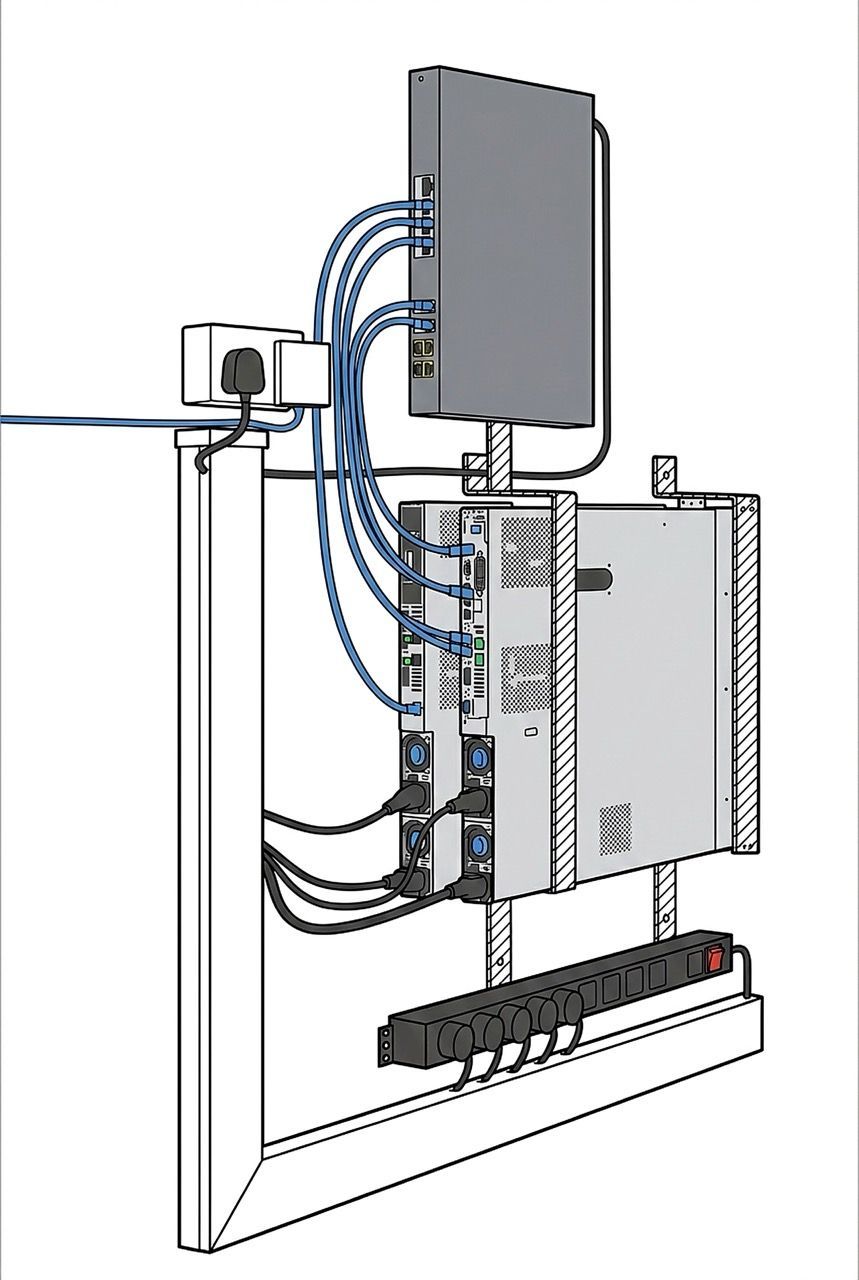
The "Clean Setup" Inspiration
If you’re upgrading to Dell 14th Gen PowerEdge servers, you don’t necessarily need a bulky floor cabinet. A properly engineered vertical wall-mount can be a clean, proven way to deploy high-performance hardware like the Dell PowerEdge R640 or R740 while keeping your floor space free.
This approach is especially useful for edge locations and space-constrained environments. It’s not ideal for areas with heavy dust, poor temperature control, or where service access is difficult.
1. Is vertical mounting safe for Dell 14th Gen servers?
A common myth is that rack servers must always lie flat. In practice, vertical mounting can be safe and stable when you plan for two things: mechanical load (weight + mounting strength) and airflow (intake/exhaust clearance).
Storage orientation (HDD & NVMe)
In many modern enterprise builds — whether you’re running NVMe in an R640 or a SAS-heavy configuration in an R740 — drive orientation is often supported across multiple mounting positions. That said, it’s smart to verify the operating-orientation specifications for your exact drive models (especially if you use spinning HDDs). Enterprise drives are designed for 24/7 operation, but manufacturers still publish orientation and vibration tolerance guidelines for a reason.
Airflow basics: what matters more than “upright vs flat”
Dell PowerEdge servers are designed for front-to-back airflow. Vertical mounting doesn’t change that requirement. Your goal is simple: keep the front intake unobstructed, ensure the exhaust has room to leave the chassis, and prevent hot air from recirculating back into the intake.
The “chimney effect” (a small bonus, not a replacement for airflow)
If the server is oriented so warm exhaust naturally rises, convection can help reduce heat pockets in tight spaces. Consider it a minor advantage in some closets — not a substitute for proper clearance and ventilation. Your primary cooling still comes from the server’s fans, and they’ll only perform well if the intake and exhaust pathways are not restricted.
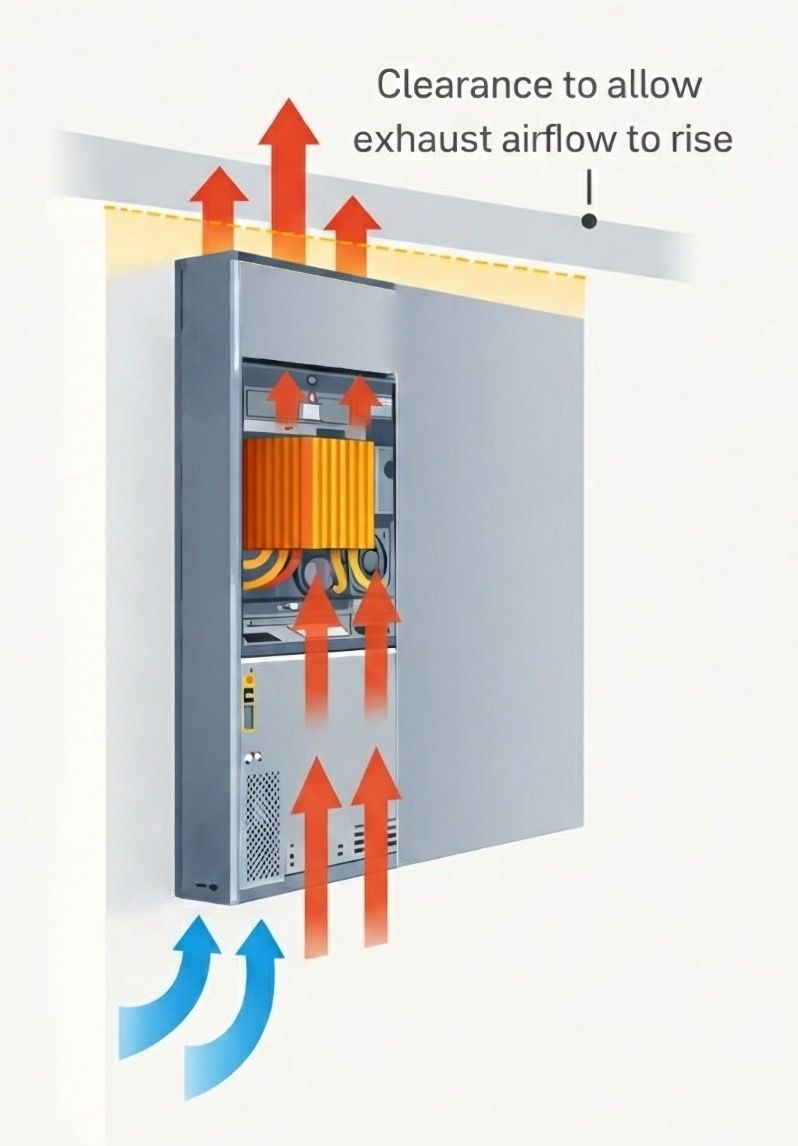
Airflow Diagram & The Chimney Effect
2. Why go vertical? The practical benefits
Zero floor footprint: A vertical 1U/2U wall-mount setup keeps the server off the floor entirely and can dramatically clean up small equipment areas.
Better protection in busy spaces: A server mounted above desk height is less likely to suffer accidental kicks, vacuum impacts, bumped cables, or the classic office hazard: spilled coffee.
Less dust accumulation on horizontal surfaces: Dust tends to settle on flat surfaces. While vertical mounting doesn’t eliminate dust, it can reduce how quickly the top of a chassis turns into a dust shelf — especially if the surrounding area is kept reasonably clean.
Easier visibility and access: Status LEDs, iDRAC ports, power buttons, and I/O are typically easier to see and reach when the server is mounted at eye level — no more crawling under desks.
3. Engineering a secure wall mount (don’t cut corners)
The Dell PowerEdge R740 can be heavy depending on configuration (server, drives, PSUs, rails/bracket hardware). Treat this like a serious install.
The foundation: mounting surface matters
Never mount a server to drywall alone. Use a stud finder and mount directly into studs (wood or metal), or use appropriate anchors for masonry.
Masonry is often the best case
If you have brick or concrete, use high-quality anchors rated for the load and follow the anchor manufacturer’s guidance.
Use professional brackets rated for server loads
Choose 19-inch vertical wall-mount brackets designed for 1U/2U servers and made of heavy-duty steel. Most importantly, ensure the bracket’s load rating exceeds your fully loaded server weight with a comfortable safety margin.
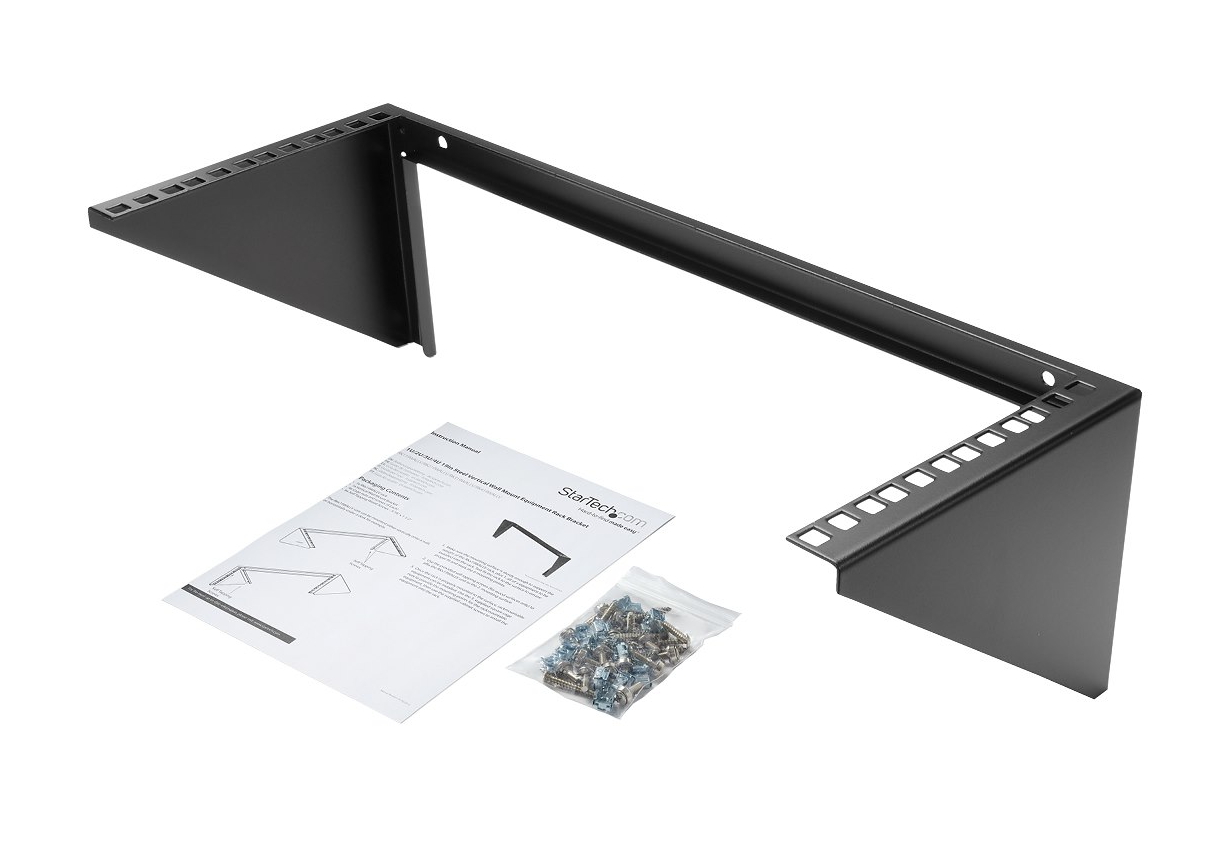
4U 19” StarTech Wall Mount Vertical Rack Bracket
Plan for service access
Before you drill anything, confirm you can still do basic maintenance: remove the top cover, swap drives, replace PSUs, access the iDRAC port, and route cables without bending them sharply.
Airflow and clearance checklist (critical)
- Keep the front intake clear. Don’t mount the front against a wall or inside a tight enclosure.
- Leave exhaust space. If exhaust points upward, don’t mount too close to the ceiling.
- Avoid recirculation. Don’t place other heat sources directly under the server exhaust path.
- If the room is “closet hot”, add ventilation. Even a great mount can’t compensate for trapped heat in a sealed space.
4. Cable management: eliminate strain and future failures
In vertical installations, gravity works against your connectors. The weight of power cords and network cables (especially heavier DAC/SFP+ cables) can create long-term strain.
Use strain relief
Install a small D-ring, hook, or Velcro tie-off point above (or beside) the server and secure cables so the connector carries minimal weight.
Keep bends gentle
Avoid tight bends near ports, especially on fiber and DAC cables. Route cables with a clean curve and enough slack for service access.
Label and separate power/network
A clean cable plan prevents accidental disconnects and makes future troubleshooting faster — especially when the server is mounted higher on a wall.
5. Pre-install checklist (save yourself headaches)
Before mounting, run through this quick checklist:
- Confirm the fully loaded weight (chassis + drives + PSUs).
- Confirm bracket load rating (with safety margin).
- Identify studs or masonry and choose the correct hardware.
- Plan airflow clearance for intake and exhaust.
- Confirm service access (cover, drives, PSUs, iDRAC, cabling).
- Add cable strain relief and avoid tight bends.
- Consider noise (especially in offices) and heat buildup in closets.
Best Dell servers for vertical mounting
1U: Dell PowerEdge R640 / Dell PowerEdge R6525
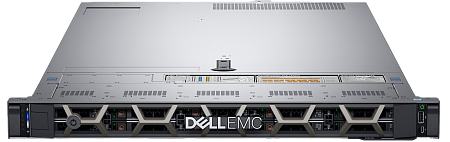
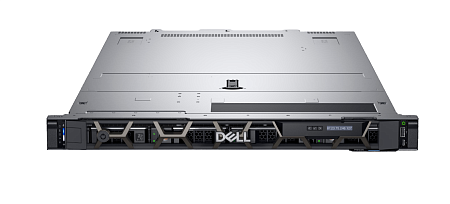
Two-socket, high-density 1U servers that deliver serious compute in a minimal footprint. They’re a strong fit for edge deployments, firewalls and security stacks, high-density virtualization, compact Kubernetes/VM clusters, and performance-focused workloads where rack (or wall) space is limited. The 1U form factor is easier to mount and service in tight rooms, while still giving you enterprise-grade CPU, memory capacity, and fast storage/networking options.
2U: Dell PowerEdge R740 / Dell PowerEdge R7525
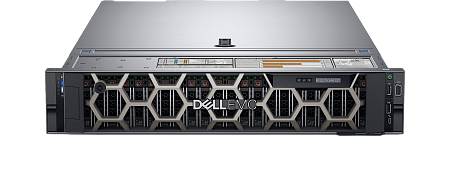
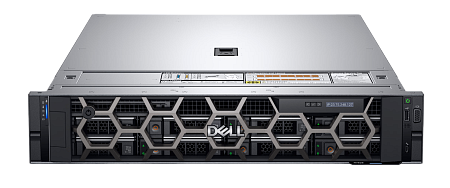
When you need the same “enterprise muscle” with more room to scale, 2U is the sweet spot. These models are ideal for heavier virtualization, VDI, storage-dense builds, backup nodes, and mixed workloads that benefit from additional PCIe expansion, more drive bays, and more flexible cooling headroom. In a vertical mount, 2U also gives you more physical space for cabling and add-on cards — often the deciding factor when you’re building for growth.
Conclusion: reclaim space without sacrificing reliability
Vertical wall mounting isn’t a DIY gimmick — it’s a practical deployment strategy for modern, space-constrained environments. When you mount into a proper structural surface, use a load-rated bracket, preserve front-to-back airflow, and manage cable strain, a Dell PowerEdge R640 or R740 can run safely and cleanly in places where a full rack simply doesn’t fit.
Want to upgrade your setup? Explore our Dell PowerEdge and HPE server inventory — fully tested, refurbished, and ready to deploy. If you’re not sure which model or configuration fits your workload and space, tell us your use case and wall type, and we’ll recommend a safe, practical setup.


