


In 2026, refurbished enterprise servers are a practical way to build predictable, high-performance infrastructure while controlling capex. AMD EPYC platforms are especially attractive on the secondary market because they deliver strong core density and unusually capable I/O, which can translate into fewer hosts, higher consolidation ratios, and simpler storage/network designs.
This buyer-focused guide covers the AMD-based rack servers currently available in the NewServerLife catalog:
- Dell PowerEdge (15th Gen): R6515, R6525, R7515, R7525
- Dell PowerEdge (14th Gen): R6415, R7415, R7425
- HPE ProLiant (Gen10 / Gen10 Plus): DL325 Gen10, DL385 Gen10, DL385 Gen10 Plus
Why AMD EPYC wins in the refurbished market
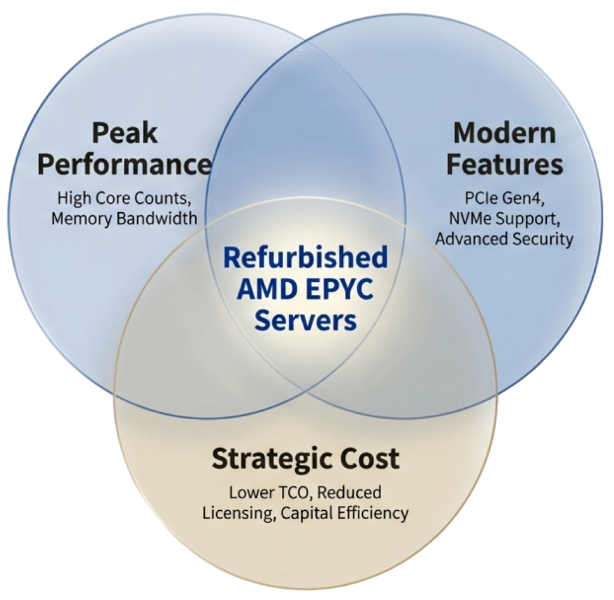
1) The ‘single-socket is enough’ shift (for many real deployments)
Many buyers still assume that dual-sockets are required to get enough I/O for multiple NICs plus several NVMe drives. EPYC platforms often change that math: a single EPYC CPU can expose up to 128 PCIe lanes (platform-dependent), which enables very capable single-socket (1P) server designs.
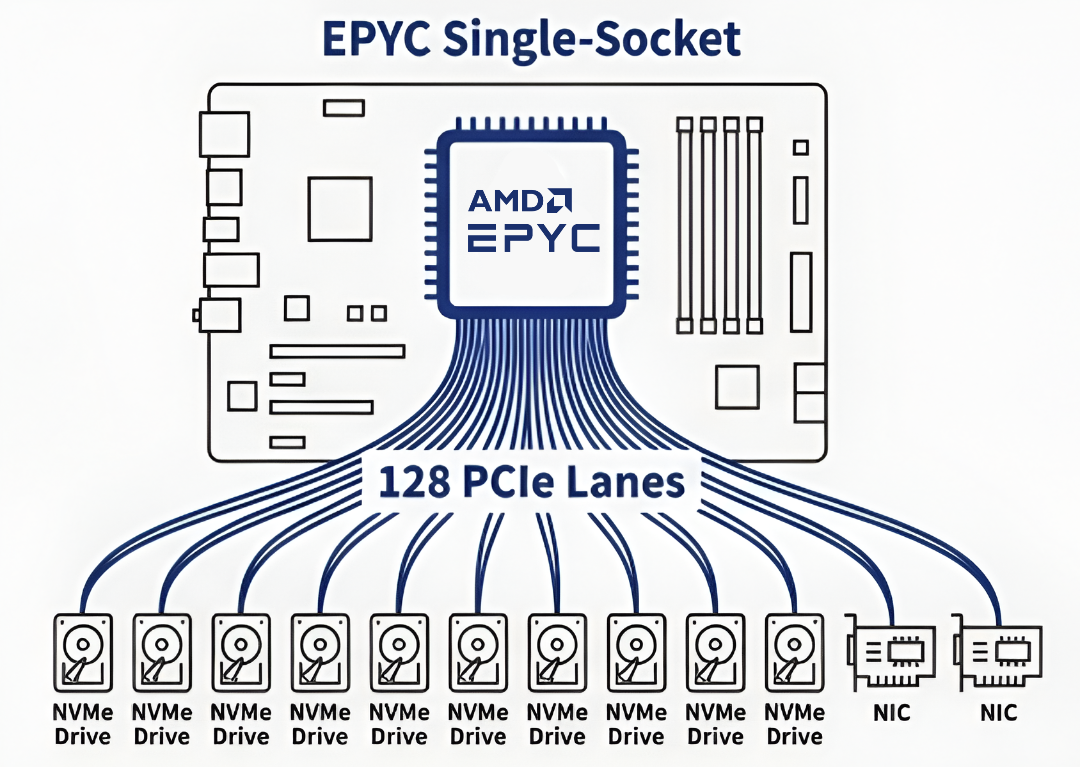
EPYC single-socket platforms can expose up to 128 PCIe lanes—enabling multiple NVMe drives plus high-speed NICs in one server (actual device counts depend on chassis and riser configuration).
Practical implication: if your workload does not require dual-socket scaling, a well-configured 1P system can deliver excellent ROI while reducing power, complexity, and (in some environments) per-socket software licensing costs.
2) Core density that maps directly to virtualization and containers
Virtualization and container clusters benefit from having enough physical cores to allocate vCPUs without excessive contention. Refurbished EPYC systems commonly offer very high core counts for the price, which can reduce the number of hosts required for a given workload—as long as memory and storage are sized realistically.
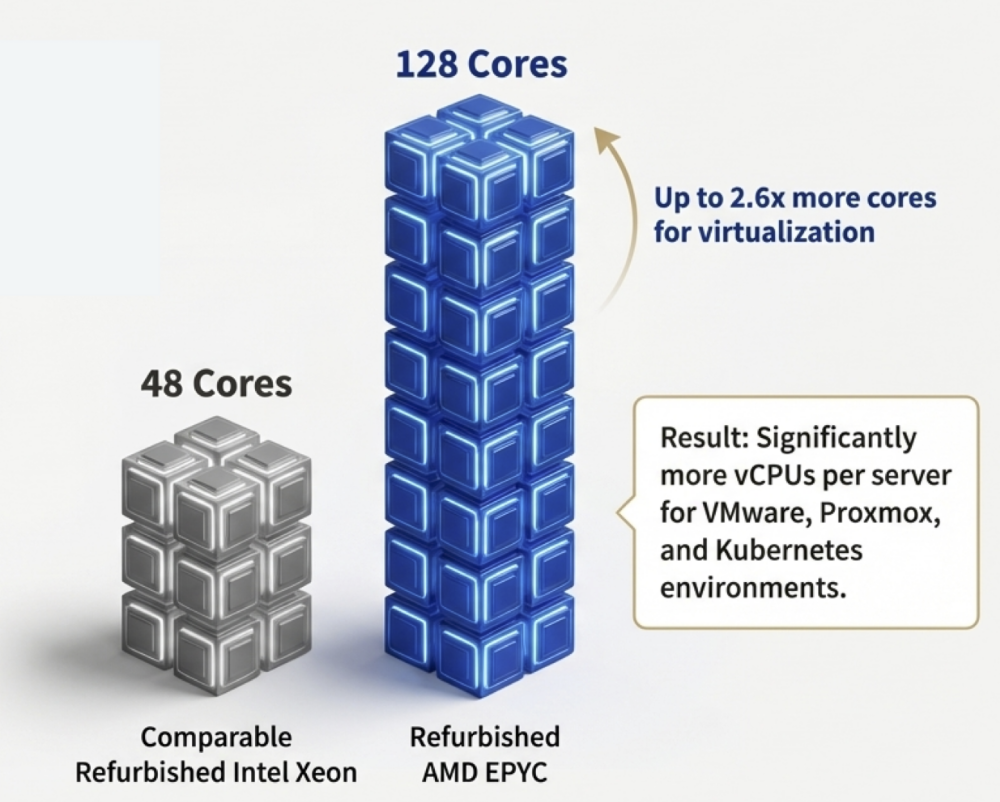
Refurbished EPYC platforms often provide substantially higher total core counts than comparable-era refurbished Xeon builds—resulting in more vCPUs per server for VMware, Proxmox, and Kubernetes (actual cores depend on CPU model and price point).
Dell PowerEdge AMD options at NewServerLife
Dell’s AMD PowerEdge platforms are popular because they combine strong EPYC compute with flexible chassis and storage options. Start with your constraints: form factor (1U vs 2U), scale (1P vs 2P), and storage/networking requirements (NVMe count, PCIe generation, NIC bandwidth).
At-a-glance comparison
| Model | Platform | Form factor / sockets | Best fit (typical) |
| Dell PowerEdge R6515 | 15G | 1U / 1P | Dense virtualization and scale-out compute |
| Dell PowerEdge R6525 | 15G | 1U / 2P | Max compute per RU; dense virtualization and VDI |
| Dell PowerEdge R7515 | 15G | 2U / 1P | Balanced compute + flexible storage (SDS, backup, VMs) |
| Dell PowerEdge R7525 | 15G | 2U / 2P | No-compromise: NVMe-heavy, VDI, analytics, GPU-assisted (config-dependent) |
| Dell PowerEdge R6415 | 14G | 1U / 1P | Value compute and virtualization nodes |
| Dell PowerEdge R7415 | 14G | 2U / 1P | Value 2U: storage-flexible builds |
| Dell PowerEdge R7425 | 14G | 2U / 2P | Value 2P: cores + memory + I/O flexibility |
| HPE ProLiant DL325 Gen10 | Gen10 | 1U / 1P | Efficient virtualization; compact private cloud nodes |
| HPE ProLiant DL385 Gen10 | Gen10 | 2U / 2P | Enterprise virtualization and mixed workloads |
| HPE ProLiant DL385 Gen10 Plus | Gen10+ | 2U / 2P | Memory-heavy virtualization with more modern I/O direction |
Notes: exact CPU support and storage bay options depend on configuration. Use the NewServerLife configurator and confirm platform details for your intended build.
Dell 15th Generation (R65x5 / R75x5)
These models are commonly chosen when buyers want a newer platform generation with modern I/O strategies (often PCIe Gen4 for NVMe and fast networking, configuration-dependent).
Dell PowerEdge R6515 (1U, single-socket)
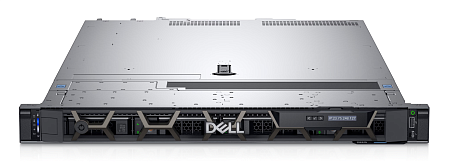
A compact 1U platform for dense 1P EPYC compute.
Best for:
- Scale-out web/application farms
- Dense virtualization nodes
- Edge clusters where footprint and power efficiency matter
Why buyers pick it:
- Strong 1P consolidation potential in 1U
- Good fit when you don’t need heavy expansion or large 3.5-inch capacity bays
Watch-outs:
- Limited expansion compared to 2U chassis
- Not ideal if you need multiple add-in cards or GPU headroom
Dell PowerEdge R6525 (1U, dual-socket)
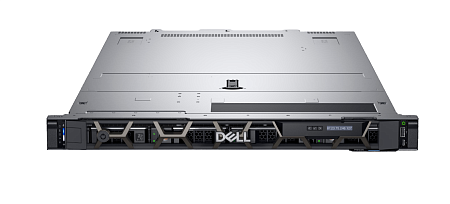
Maximum compute density per rack unit with 2P EPYC in 1U.
Best for:
- Dense virtualization and VDI farms
- Compute clusters backed by shared storage
- High-density hosting environments
Why buyers pick it:
- Very high CPU density per RU
- Good choice when rack space is the primary constraint
Watch-outs:
- 1U chassis still limits expansion compared to 2U
- Plan airflow and add-in cards up front
Dell PowerEdge R7515 (2U, single-socket)
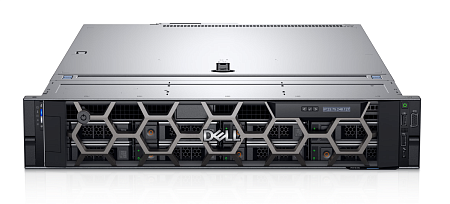
Often the best ‘balanced’ 1P choice: 2U flexibility with 1P economics.
Best for:
- Virtualization hosts that need flexible local storage
- Backup repositories
- SDS nodes (Ceph, vSAN, ZFS-based designs)
Why buyers pick it:
- 2U chassis enables more storage bay permutations (SFF/LFF, configuration-dependent)
- Simple topology and strong price/performance for many workloads
Watch-outs:
- If you truly need maximum RAM per host and the highest VM density, consider 2P platforms
Dell PowerEdge R7525 (2U, dual-socket)
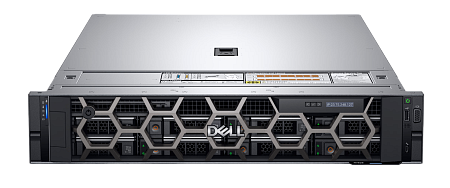
The no-compromise option for high density, high memory, and expansion-heavy builds.
Best for:
- High VM density clusters
- NVMe-heavy all-flash storage designs
- Analytics, VDI at scale, GPU-assisted workloads (config-dependent)
Why buyers pick it:
- Most flexible Dell AMD platform in this set
- Strong scaling for CPU, memory, NVMe, and add-in cards
Watch-outs:
- Higher cost, power, and complexity than 1P builds
- Requires more careful NUMA-aware planning for some workloads
Dell 14th Generation (R64x5 / R74x5)
These platforms are value-focused choices in the refurbished market. They can be excellent ROI when you do not require the newest platform features. Avoid oversimplifying CPU generation support across the entire 14G lineup—verify the specific chassis and CPU pairing.
Dell PowerEdge R6415 (1U, single-socket)
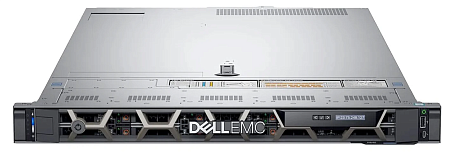
A cost-efficient 1U 1P EPYC platform for stable workloads and predictable requirements.
Best for:
- Value compute nodes
- Virtualization clusters where density matters
- Dev/test or staging environments
Why buyers pick it:
- Often an efficient way to scale out compute on a budget
- Good fit for straightforward hosting and virtualization
Watch-outs:
- Older generation platform; validate I/O and storage plans against your target design
Dell PowerEdge R7415 (2U, single-socket)
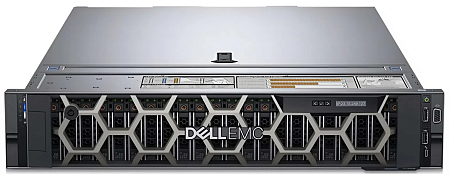
A practical 2U 1P chassis when storage flexibility is required at a value price point.
Best for:
- Storage-flexible virtualization hosts
- Dedicated hosting
- Mixed workloads that benefit from 2U bay options
Why buyers pick it:
- 2U flexibility with 1P simplicity
- Often strong ROI for non-latency-sensitive workloads
Watch-outs:
- Confirm CPU series support and I/O plan for NVMe-heavy designs
Dell PowerEdge R7425 (2U, dual-socket)
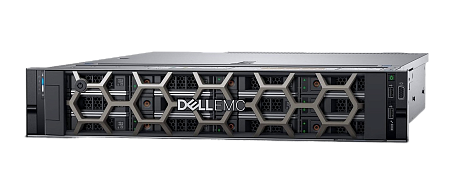
A value 2P option when you need more cores, more memory capacity, and more platform headroom.
Best for:
- 2P virtualization hosts
- Compute + storage mixed workloads
- Rendering and batch workloads where total cores matter
Why buyers pick it:
- 2P scaling for higher VM density and bigger memory footprints
- Good refurbished option for larger clusters
Watch-outs:
- Validate your planned CPU generation and PCIe needs against the specific unit/configuration
HPE ProLiant AMD options at NewServerLife
HPE ProLiant is often chosen for iLO remote management and operational familiarity. In this lineup, the key decision is typically: 1U 1P density (DL325) versus 2U 2P scale (DL385).
HPE ProLiant DL325 Gen10 (1U, single-socket)
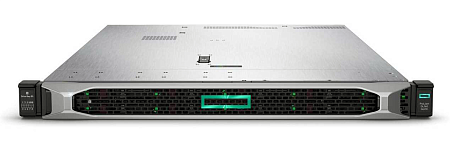
HPE’s 1U 1P EPYC platform for efficient virtualization and compact I/O-heavy nodes.
Best for:
- Cost-efficient virtualization
- Compact private cloud nodes
- I/O-heavy workloads in a 1U footprint
Why buyers pick it:
- Strong density with HPE iLO management
- Good fit when you want HPE ecosystem and 1U efficiency
Watch-outs:
- As 1U 1P, expansion is naturally limited versus 2U platforms
HPE ProLiant DL385 Gen10 (2U, dual-socket)
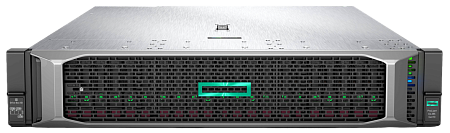
A 2U 2P enterprise workhorse for memory-heavy virtualization and mixed workloads.
Best for:
- Large virtualization clusters
- Mixed enterprise workloads
- Scenarios where memory capacity is a major driver
Why buyers pick it:
- 2U chassis with 2P scaling
- Strong fit when you need high memory ceilings and platform flexibility
Watch-outs:
- Confirm PCIe generation requirements if NVMe-heavy and NIC-heavy designs are planned
Important note on DL385 Gen10 Plus CPU support
Do not assume that ‘Gen10 Plus’ automatically means EPYC 7003 support. HPE documentation for DL385 Gen10 Plus (without ‘v2’) notes support for EPYC 7001 and 7002 series and indicates that EPYC 7003 cannot be supported in this system. Always verify the exact platform variant for your intended CPU generation.
HPE ProLiant DL385 Gen10 Plus (2U, dual-socket)
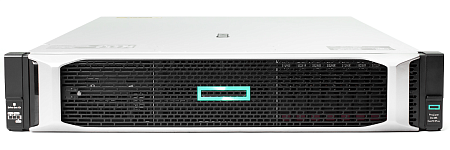
A 2U 2P platform aimed at buyers who want a more modern I/O direction within the Gen10 family.
Best for:
- Memory-heavy virtualization with modern I/O needs
- Platform refresh within ProLiant fleets
- Workloads where PCIe generation and expansion matter
Why buyers pick it:
- Strong chassis option for 2026 buyers seeking modern I/O and large memory footprints
- Good fit for teams standardized on HPE
Watch-outs:
- CPU generation must match platform support (commonly EPYC 7001/7002 for this variant)
- Validate against your exact unit and bill of materials
Practical 2026 decision guide (choose by workload)
Use case A: Private cloud / virtualization cluster (VMware, Proxmox, Hyper-V)
Goal: consolidate servers and stabilize costs while keeping room for growth.
Best matches at NewServerLife:
- Dell R7515 (1P, 2U) when you want strong consolidation with simpler topology and flexible storage
- Dell R7525 (2P, 2U) when you need maximum VM density, memory capacity, and expansion
- HPE DL385 Gen10 / Gen10 Plus when your team prefers ProLiant + iLO and needs 2U/2P scale
Use case B: All-flash / SDS nodes (Ceph, vSAN, ZFS-based designs)
Goal: high IOPS, high throughput, and predictable latency.
Buyer checklist:
- NVMe bay support and drive backplane options
- PCIe generation alignment with NVMe/NIC plan
- NIC bandwidth (10/25/100GbE) and slot allocation
- Redundancy model (replication, erasure coding, mirrors) and performance trade-offs
Use case C: AI inference, GPU-assisted analytics, and compute + accelerator workloads
Goal: run GPU-accelerated workloads without paying new-platform pricing.
Recommended starting point:
- Dell R7525 (configuration-dependent for GPU and power).
Planning reminders:
- Plan PCIe slot allocation up front (GPU + NIC + storage controllers)
- Size PSU and cooling for fully loaded configurations
- Use NVMe for dataset ingest/cache where latency matters
Use case D: High-capacity backup/object storage (Veeam, archive, media)
Goal: maximize dollars per TB with acceptable compute.
Recommended pattern:
- 2U chassis with LFF options (where available)
- HBA / pass-through approach when you want ZFS/Ceph control
- Enough CPU for indexing/compression/encryption, but prioritize drive bays and networking
Why buy refurbished servers from NewServerLife
Warranty and lifecycle fit
NewServerLife provides a base 1-year warranty, with options to align coverage with your refresh cycle.
Pre-sales configuration support
The biggest hidden cost in refurbished hardware isn’t the chassis—it’s a misfit configuration (memory population, storage topology, or networking). Define the workload first, then build CPU, RAM, storage, and NIC to match. If you’re building a cluster, consistency matters.
Colocation option (Buy & Host)
If you prefer owning the hardware but don’t want to manage onsite power/cooling, NewServerLife offers colocation options.
Conclusion
Refurbished AMD EPYC servers remain one of the best levers for building high-performance private infrastructure with strong ROI in 2026. Choose based on form factor (1U vs 2U), scale (1P vs 2P), and your storage/network design (NVMe, PCIe generation, NIC bandwidth).
Explore our AMD EPYC inventory


